
Labyrinth Learning - CoursePower LMS
CoursePower is a Moodle-based Learning Management System (LMS) that provides online learning for both students and educational institutions. Students can enroll in courses, complete learning activities, check their scores, and track their learning progress. Instructors find it very simple to create and manage courses, update learning materials, organize activities and monitor student performance. via a simple and user friendly platform.
Contact Us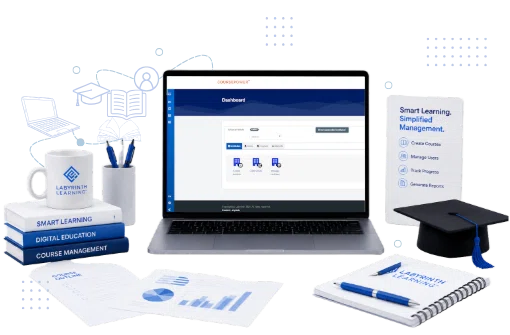
About Project
Location
Mumbai
Industry
E-learning
Project Duration
1 Year
Team Members
1 People
The Challenges & Their Solutions
Students might sign up for classes with no validation, which makes it difficult to control access to premium or restricted content.
I created a system to validate access codes so that students would not be able to register and gain access to course material until they entered a valid access code. Invalid or missing access codes cannot be used to enrolll and access content.
The access code validity expired but learners could still access the course content and the enforcement of subscription or license periods was difficult.
Added automatic access control on validity of access code. When the code expires, students will lose immediate access to the course and will need to re-enroll with a new valid access code to regain access.
Instructors who continued to use copied courses had difficulty keeping them in sync with changes made to the master course and often had to manually update them.
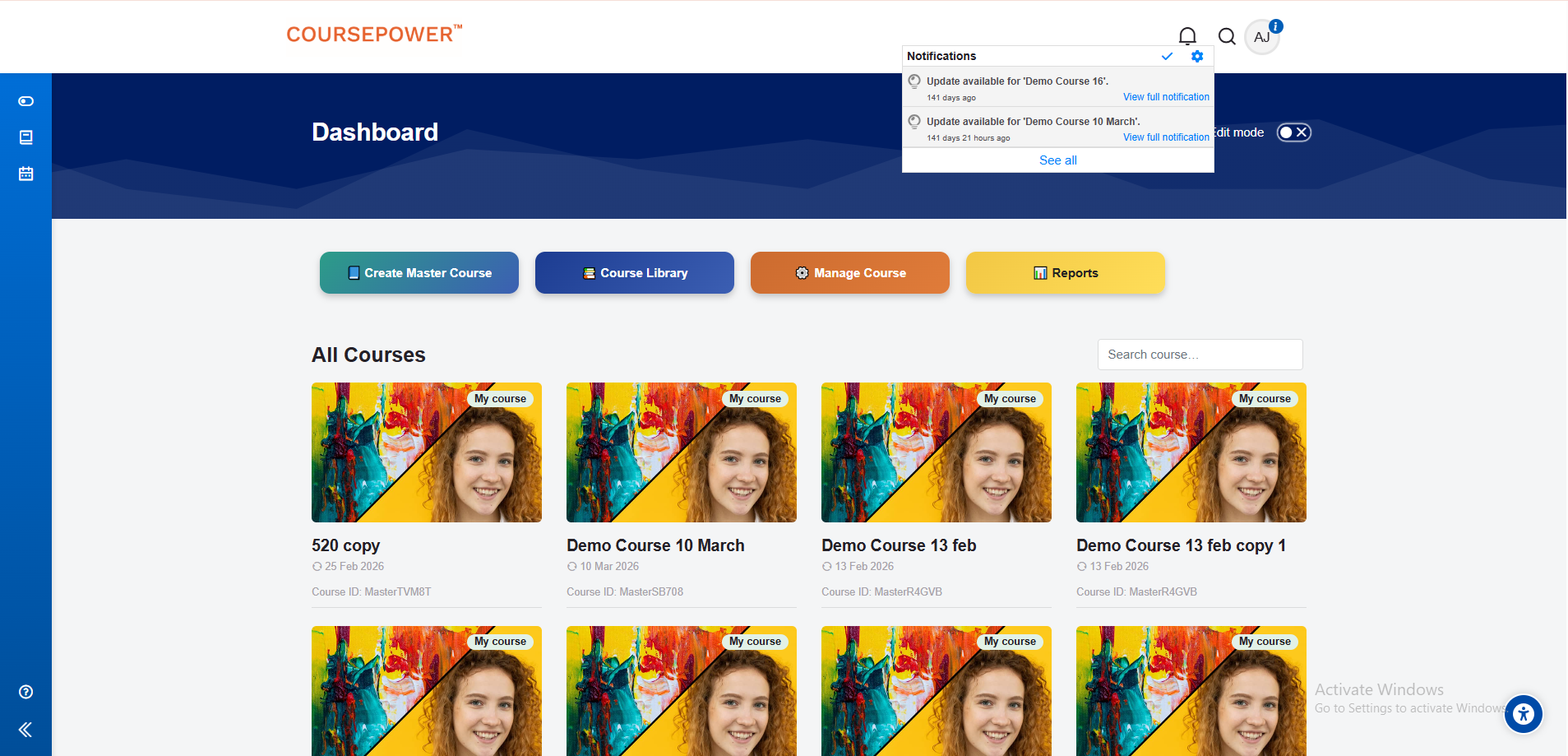
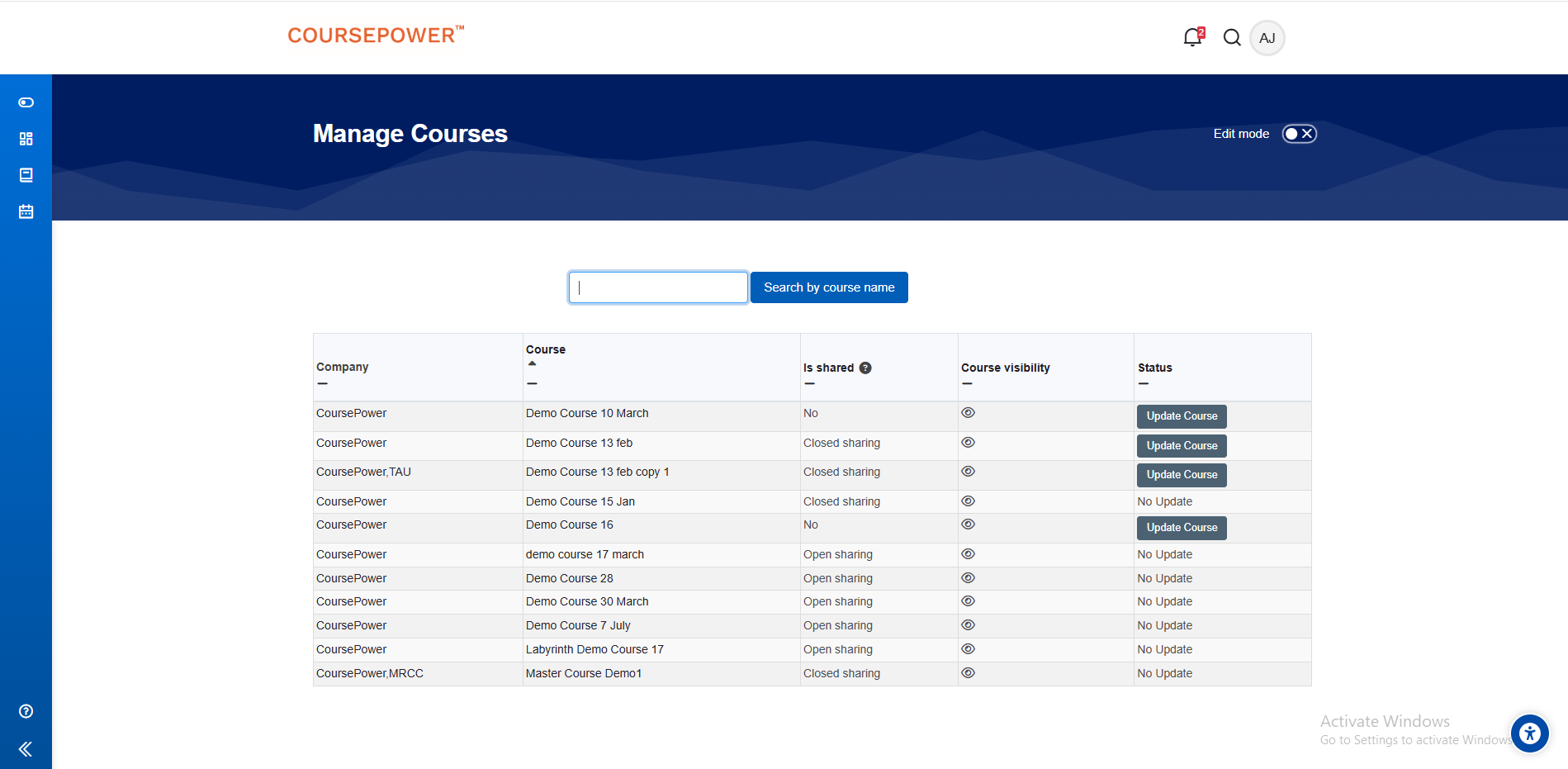
Created a notification system to notify instructors of new or changed activities in the master course. Instructors have an Update option to selectively sync only the necessary activities into their copied courses.
Instructors were required to perform the same activities in each LMS resulting in duplication of effort and inconsistency of content.
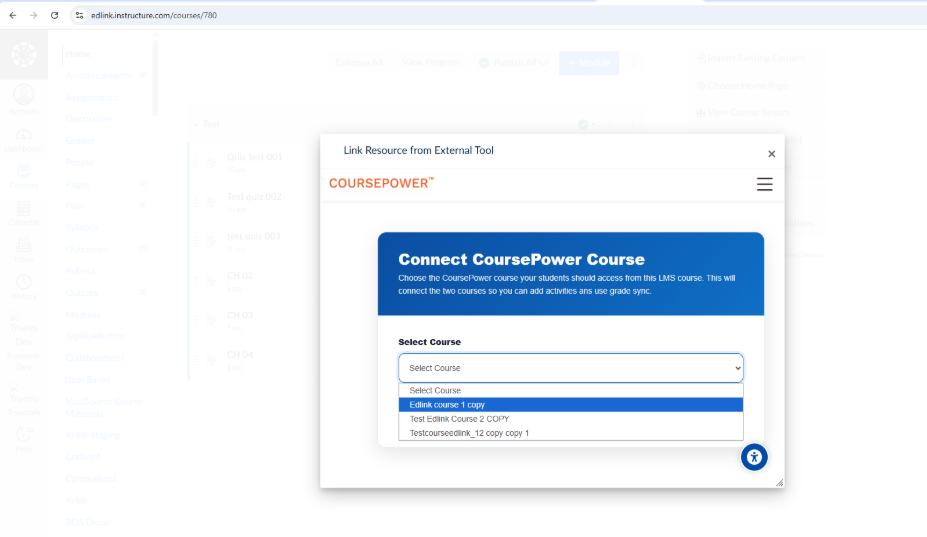
Built LTI Deep Linking which enables instructors to choose activities directly from CoursePower LMS and automatically generate them in external LMS platforms without the need to recreate them manually.
The administrative burden and risk of errors was also increasing as each activity was being edited individually to set the same parameters.
Created a bulk activity settings feature that provides consistency and efficiency by allowing instructors to select multiple activities and apply configuration changes to all selected activities with one action.
Key Features
Administrator Dashboard
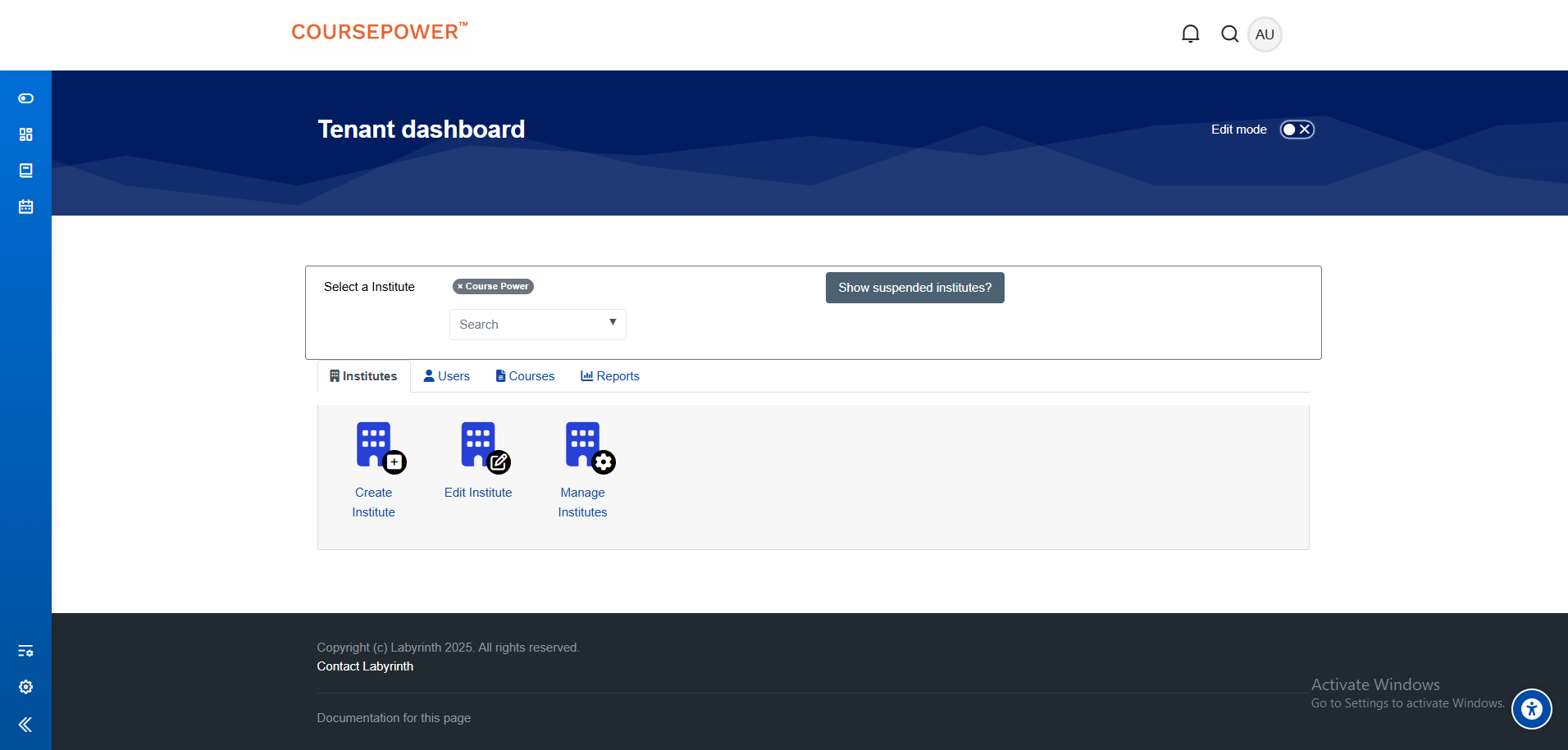
The main control panel for the LMS is the administrator dashboard. One interface administrators can manage users, courses, security, instructors, officials and approvals. They may update, set rules for completion, manage the code, track records and speed up the learning process. Authorities utilize these dashboards and analytics, making it easy to manage and track all educational activities on the online platform.
Instructor Dashboard
Instructors can manage their courses without administrative help with the instructor dashboard. They can upload content, prepare lessons and courses and monitor and evaluate student progress. The dashboard also has a 'Course Sync' (Master Course Sync) option that alerts instructors when the master course is updated, allowing them to synchronise updates to their own courses as required.
Student Dashboard
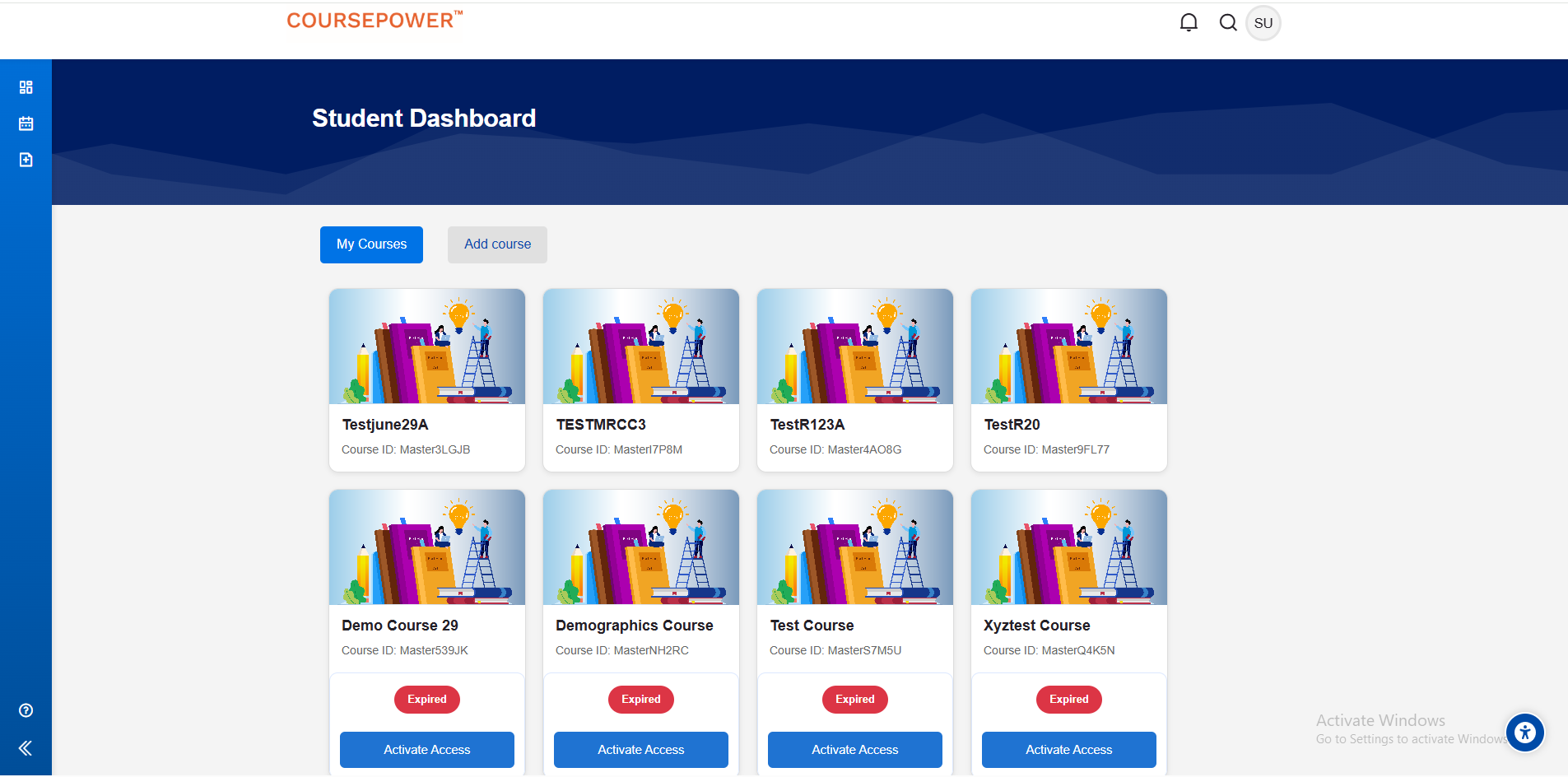
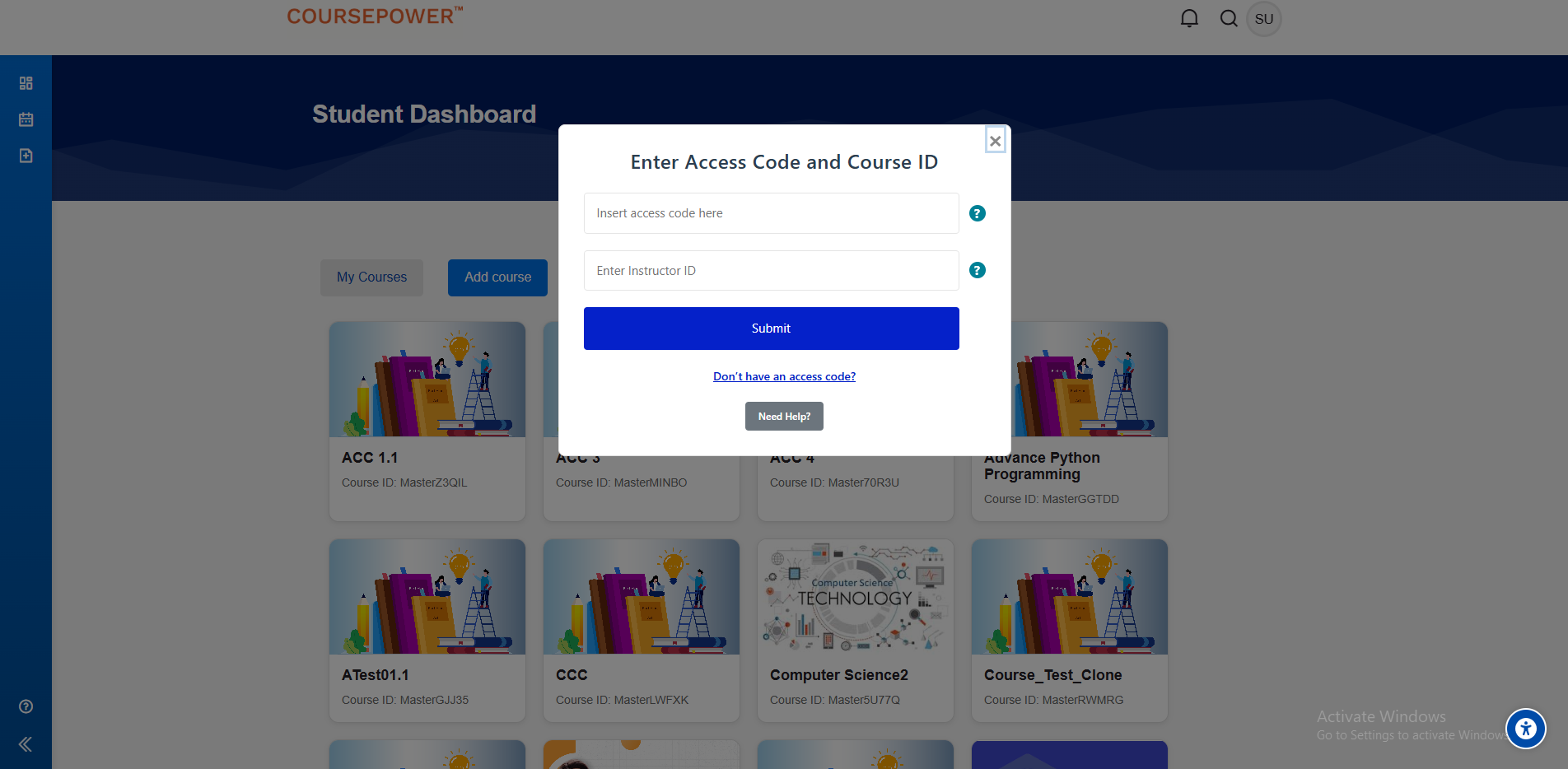
Student dashboard displays all the courses enrolled by the student. If a course is expired, it is clearly marked as 'Expired'. To regain access, just type in the standard 'access code' and then click the 'Activate Access' button. Enter the access code and the course will be re-enrolled. The system picks up the course from the last point where it was left off, so students don't have to start over, they can continue learning from that exact point. Students will not have access to the material once the subscription period ends but all their previous progress and completion data is safe.
Access Code Management
Access to the course is restricted to authorised users only, and can be gained via the 'Access Code' feature. To register for a new course, students must provide both the standard 'Instructor ID' and the 'Access Code'. If any of these details are wrong or missing, you won't be able to join or access the course. Upon successful validation of the instructor ID and access code, the student is automatically registered in the selected course and begins learning. The system uses trial and standard access codes. Trial access codes give you limited access to the course for a set period of time standard access codes give you full access to the course.
Master Course Management
The 'Master Course' feature allows instructors to create master courses with administrator level permissions. Then they can produce copies of these master courses for use in training and adapt them as necessary. In the case of the organization's instructor, they automatically get a notification when an instructor adds or prepares a learning module or updates a master course. In addition to 'Copy Course', there's also a 'Update Course' option in the 'Copy Course' feature that lets instructors update content from a master course without having to create the course all over again. This allows easy updating of course material while still allowing instructors to control their own course setup and customisation.
LTI 1.3 and Edlink Integration
CoursePower integrates with external LMS (Learning Management System) such as Canvas, Blackboard, Brightspace (D2L) and Schoology through LTI 1.3 and Edlink. If you add CoursePower as an external tool, instructors will automatically be signed in using Single Sign-on (SSO), so you don't have to log in separately. With LTI Deep Linking they can choose any course, see the activities and add one or more activities to their LMS. Each assignment has an “Enable Grade Sync” option for the integration. When sending, create all the selected tools automatically in the external LMS. Students can complete these activities from start to finish right from their LMS. The student's grades will sync automatically to the LMS gradebook once an assignment is submitted. This combination makes it easier to share courses, saves you time doing manual work and makes sure that learning content and grades are synced between both platforms.



Client Success Stories
Real stories from clients who scaled faster and smarter with CodeChain’s custom software solutions.
I had a really good experience working with CodeChain Technologies. They built an app for our AC service business that helps both customers and owners manage services easily. The team understood what we needed, worked quickly, and delivered exactly as promised. I’m very happy with their work and support.

Keyur Sukhadiya
Owner, SK Air Conditioner
Working with CodeChain Technologies was a very professional experience. They developed a complete ERP system for our school, tailored to meet all our administrative and academic needs. The team was responsive, thorough, and delivered the project on time. I am extremely satisfied with their work and support.

Kishan Mangukiya
Trustee, The Radiant International School
It was a great experience working with CodeChain Technologies. They made our website and mobile app for our diamond machine service just the way we wanted. The team understood our needs well, worked on time, and always supported us. I really liked their work and friendly attitude.

Kartik Donda
Owner, MacSwin Technology
Working with CodeChain Technologies has been a great experience. They built an app and website for our inventory and service management that works really well for our daily operations. The team was helpful, professional, and always ready to support us. I’m very happy with their work.

Anil Tarpara
Owner, MAK Tech
I had an excellent experience working with CodeChain Technologies. They developed my Battleground Village mobile game with outstanding quality and attention to detail. Later, they upgraded my existing website with new features and improved functionality. Recently, they built a restaurant table booking system that’s efficient, responsive, and perfectly meets my business needs.

Rakesh Patil
Owner, Battle Village
Working with CodeChain Technologies was a very professional experience. They developed a competitive quiz app with a website for us, along with an e-commerce platform. The entire process was smooth, and the team maintained clear communication throughout. I’m fully satisfied with their quality of work and timely delivery.

Karan Bengani
Owner Kracknow
It’s been a great experience working with CodeChain Technologies. They developed an inventory and invoicing management system for our company that works perfectly for our daily operations. The team was professional, cooperative, and always ready to help. I’m really happy with their work and final results.

Sagar Vaghasiya
Owner, Dolphin Laser Machine Pvt. Ltd.
Working with CodeChain Technologies was a smooth and positive experience. They built a website and app that make managing our daily operations and business processes much easier. The team was attentive, professional, and always ready to help. I’m very satisfied with their dedication and results.

Himmat Bhanushali
Director, D.H.S Logistics Pvt. Ltd.
What our clients say
I had a really good experience working with CodeChain Technologies. They built an app for our AC service business that helps both customers and owners manage services easily. The team understood what we needed, worked quickly, and delivered exactly as promised. I’m very happy with their work and support.
Keyur Sukhadiya
Owner, SK Air Conditioner
Working with CodeChain Technologies was a very professional experience. They developed a complete ERP system for our school, tailored to meet all our administrative and academic needs. The team was responsive, thorough, and delivered the project on time. I am extremely satisfied with their work and support.
Kishan Mangukiya
Trustee, The Radiant International School
It was a great experience working with CodeChain Technologies. They made our website and mobile app for our diamond machine service just the way we wanted. The team understood our needs well, worked on time, and always supported us. I really liked their work and friendly attitude.
Kartik Donda
Owner, MacSwin Technology
Working with CodeChain Technologies has been a great experience. They built an app and website for our inventory and service management that works really well for our daily operations. The team was helpful, professional, and always ready to support us. I’m very happy with their work.
Anil Tarpara
Owner, MAK Tech
I had an excellent experience working with CodeChain Technologies. They developed my Battleground Village mobile game with outstanding quality and attention to detail. Later, they upgraded my existing website with new features and improved functionality. Recently, they built a restaurant table booking system that’s efficient, responsive, and perfectly meets my business needs.
Rakesh Patil
Owner, Battle Village
Working with CodeChain Technologies was a very professional experience. They developed a competitive quiz app with a website for us, along with an e-commerce platform. The entire process was smooth, and the team maintained clear communication throughout. I’m fully satisfied with their quality of work and timely delivery.
Karan Bengani
Owner Kracknow
It’s been a great experience working with CodeChain Technologies. They developed an inventory and invoicing management system for our company that works perfectly for our daily operations. The team was professional, cooperative, and always ready to help. I’m really happy with their work and final results.
Sagar Vaghasiya
Owner ZLine Laser technology
Working with CodeChain Technologies was a smooth and positive experience. They built a website and app that make managing our daily operations and business processes much easier. The team was attentive, professional, and always ready to help. I’m very satisfied with their dedication and results.
Himmat Bhanushali
Director, D.H.S Logistics Pvt. Ltd.
Contact US
We respect your privacy. View our Privacy Policy.
Your Benefits
- Client-Focused
- Transparency
- Results-Driven
- Skilled Experts
- Independent Thinking
- Problem Solvers
What to Expect Next
- We Schedule a Call at Your Convenience.
- We listen before we advise.
- You’ll receive a clear, tailored plan.